
What's this for



As a user interface developer, I want a single, flexible tool for creating user interfaces and interfaces for application solutions based on the iXyber Platform, with rich libraries of ready-to-use visual components
As a user of iXyber application solutions, I want to be able to view interfaces using a standard web browser, create my own screens from ready-made templates, and share my screens with other users

iXyber MES Vision – is a modern web-based visualization tool.It allows you to create dynamic screens in the form of mimic diagrams and dashboards, as well as user interfaces for application solutions.It offers extensive capabilities for rendering interfaces and adding dynamic behavior, and allows external visualization components to be integrated into screens.
Key advantages
- A single product for designing screens and user interfaces of application solutions in the iXyber Platform;
- A powerful modern vector graphics editor for creating mimic diagrams of any complexity;
- A fully thin‑client, web‑based user interface. Support for multiple screens, video panels and touchscreens;
- Ready-made libraries of dynamic shapes for production visualization at the MES and SCADA levels, including based on high‑performance HMI principles;
- Libraries of visual components for building application solution user interfaces;
- Automatic converters for DCS mimic diagrams from various vendors (Yokogawa Centum VP, Honeywell Experion PKS, and others). Converted DCS screens can be used for production visualization at the MES level (without control capability) and in application solutions (for example, in computer-based simulators);
- Automatic converters for mimic diagrams of MES visualization systems (OSI PI, Honeywell Uniformance, etc.); Fast migration from foreign MES visualization systems;
- Dozens of projects already implemented using iXyber Vision.


Modern mnemonic diagram editor
A modern vector graphics editor for creating dynamic mnemonic diagrams.
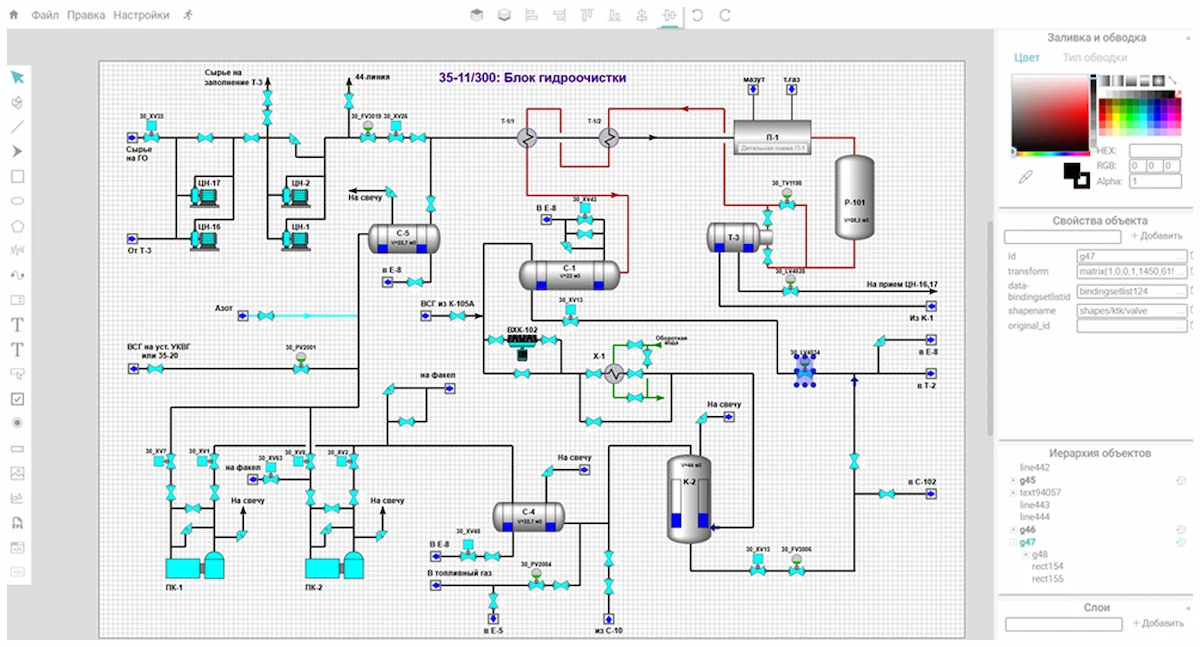
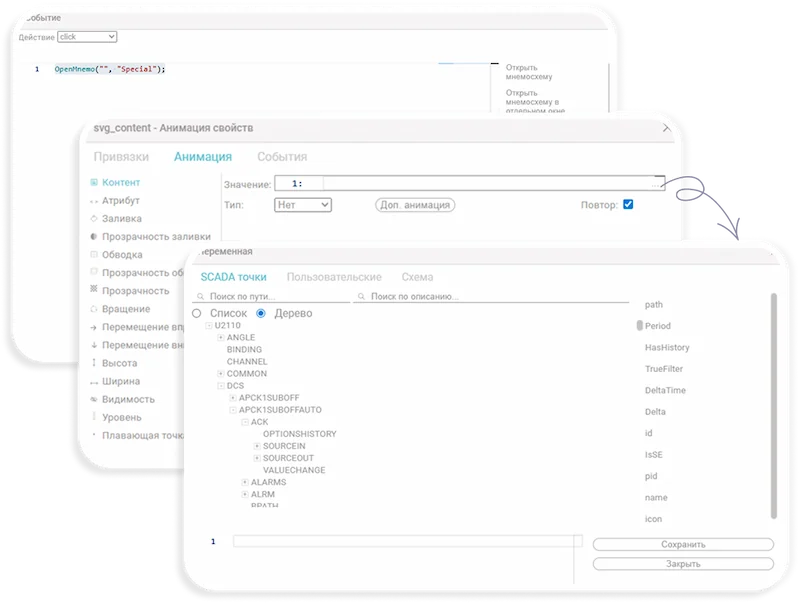
- Graphics primitives for drawing;
- Animation of object properties, object event handling, prebuilt functions for the most common event-handling actions. JavaScript as the automation language;
- Data sources for animation: object model, mimic objects and variables, global variables;
- Animated shapes from the library, with the ability to edit them and create new ones.

Visual component libraries for SCADA and MES
Libraries of ready-made animated shapes to speed up the creation of user mnemonic diagrams.

- Libraries of animated shapes for technological equipment and instrumentation and control equipment (ICE);
- Libraries of high-performance HMI elements (for the SCADA and MES levels);
- Ability to edit, expand libraries of shapes, and create new ones.

Automatic conversion of DCS and MES screens
Automatic converters for visualization screens of DCS and MES systems for their use at the MES level.
Rapid creation of MES visualization based on DCS screens; migration from foreign MES systems.
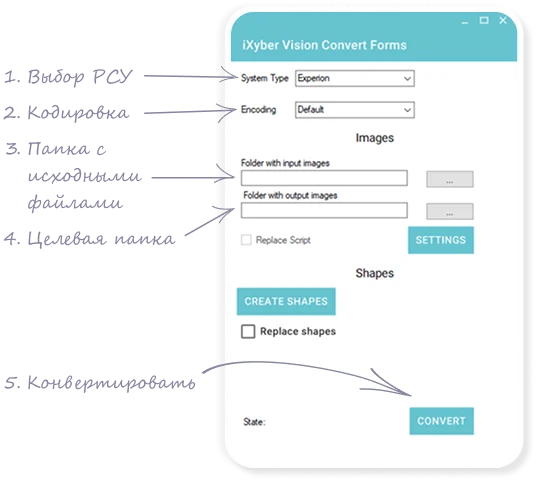
- Ready-made converters for Honeywell Experion PKS and Yokogawa Centum VP DCS. Display DCS screens at the MES level with no control capability;
- Ready-made visualization screen converter for OSIsoft PI ProcessBook; in development for OSIsoft PI Vision;
- Automatic creation of an object model for the screens with binding to external data sources.

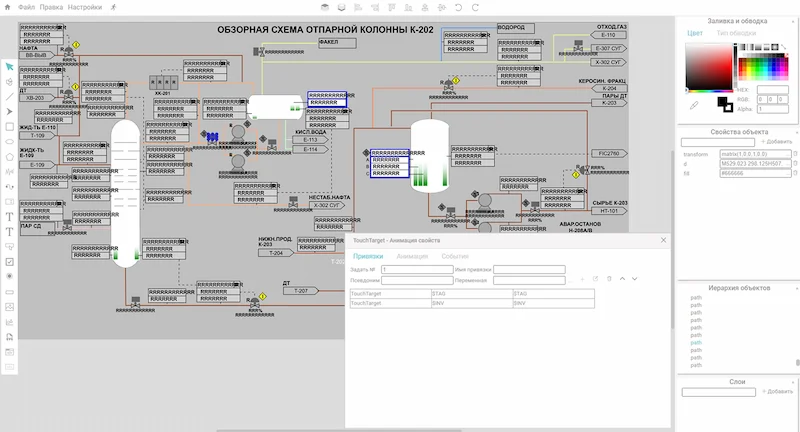

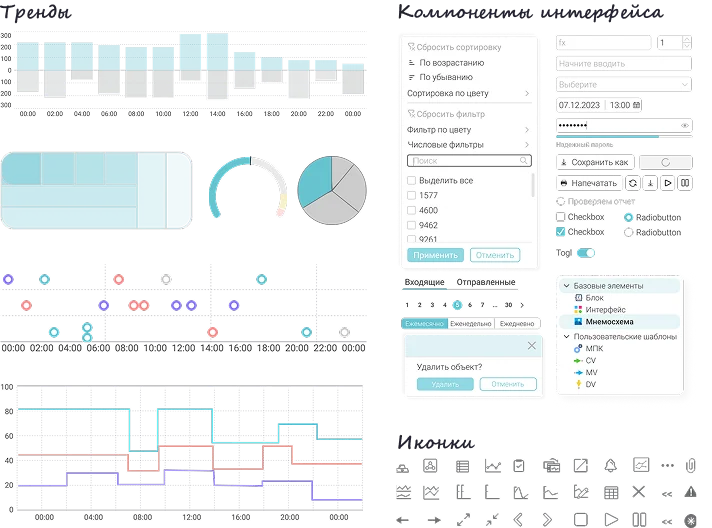
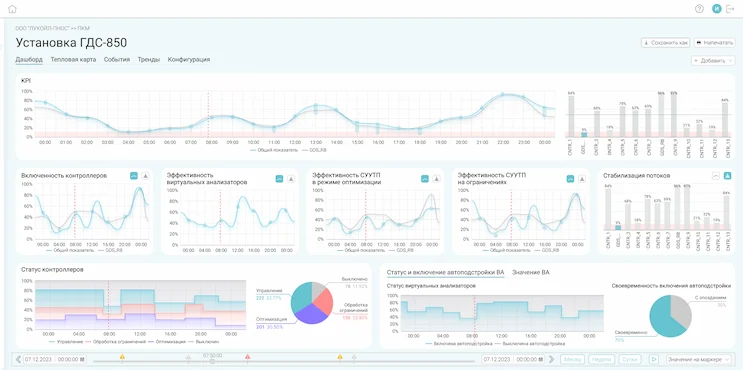
Dashboards of any complexity
Creation of dashboards of any complexity in a graphical editor for mnemonic diagrams. Libraries of visual components for dashboards.
- Creation of dashboards based on mnemonic diagrams in a graphical mnemonic-diagram editor;
- Use of ready-made visual components and the ability to develop custom ones;
- Editing and configuring dashboards by users with the appropriate access rights.

User Interfaces for Application Solutions
Creation of user interfaces for application solutions in a mnemonic diagram editor.
Libraries of animated GUI elements for application solutions.
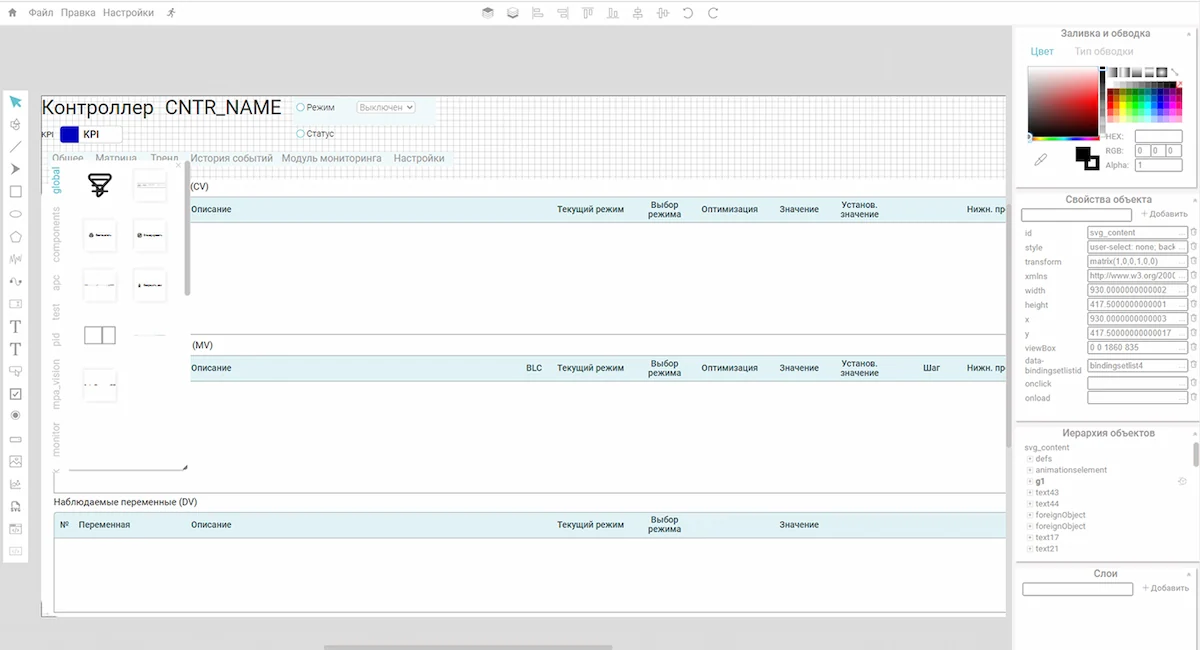

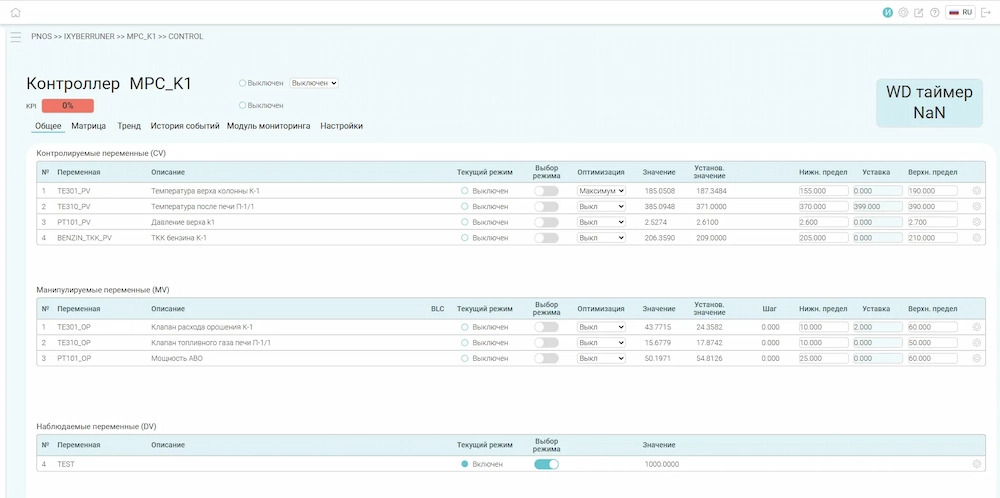
- Development of user interfaces for application systems in a mnemonic diagram editor;
- A ready-made library of dynamic shapes with GUI elements for application solutions, with editing capabilities;
- The ability for users (with access rights) to edit user interfaces for application solutions.
- Development of user interfaces for application systems in a mnemonic diagram editor;
- A ready-made library of dynamic shapes with GUI elements for application solutions, with editing capabilities;
- The ability for users (with access rights) to edit user interfaces for application solutions.

Style Guide and Principles of High-Performance HMI
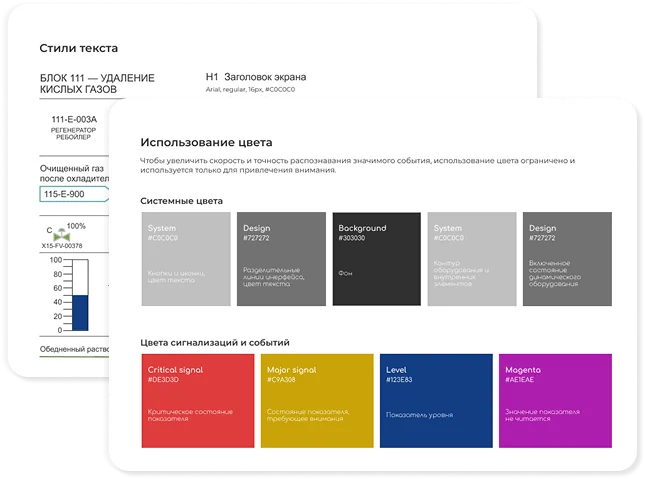
A comprehensive set of methodological guidelines, visual standards, and instrumental tools designed to ensure the ergonomics, safety, and aesthetic integrity of human-machine interfaces in applied solutions.
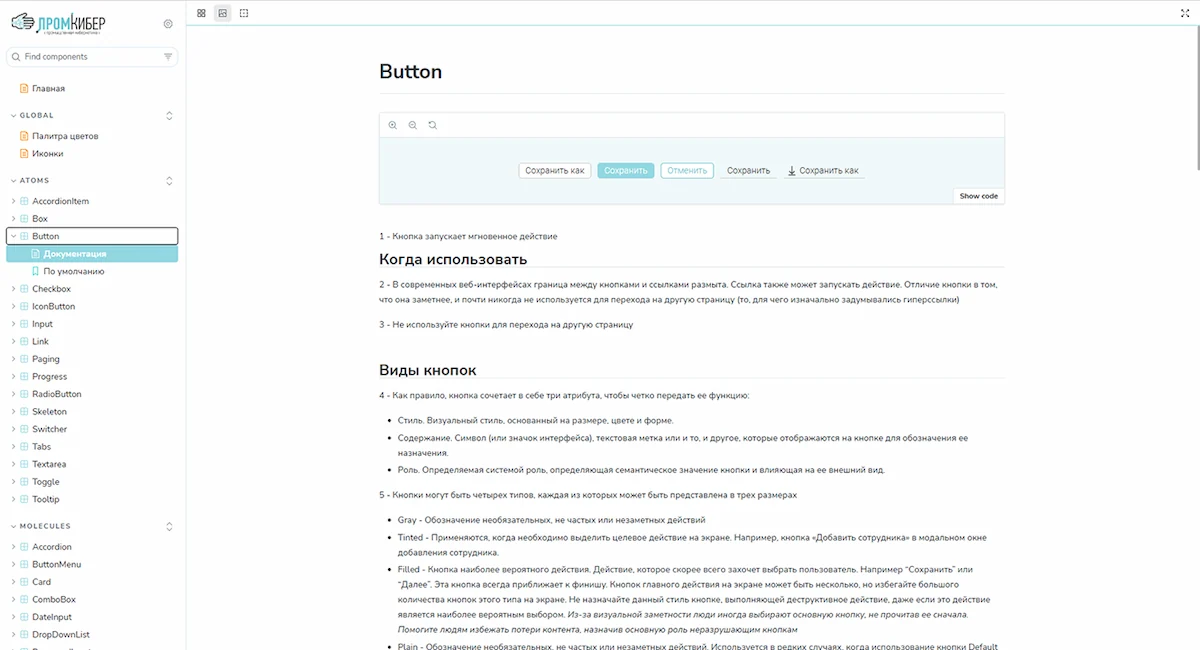

- Application of high-performance HMI principles to reduce operator cognitive load, minimize false alarms, and accelerate response time to abnormal situations;
- Management of color palettes (including ISA-101 standards for state indication) and typography;
- A ready-made library of components developed based on high-performance HMI principles;
- Methodological recommendations for visualization: detailed instructions and design patterns;
- Ready-to-use layout scenarios for interface elements, eliminating the need for designing from scratch;
- Flexible user customization of interface elements while maintaining overall stylistic consistency and readability of the applied solutions.
 Methodological recommendations for visualization: detailed instructions and design patterns;
- Ready-to-use layout scenarios for interface elements, eliminating the need for designing from scratch;
- Flexible user customization of interface elements while maintaining overall stylistic consistency and readability of the applied solutions.